 Elliott Cheeks
The app-factory pattern for internal data apps
Stop hand-building one-off internal dashboards. Scaffold them from templates so auth, health, branding, and deploys are identical every time.
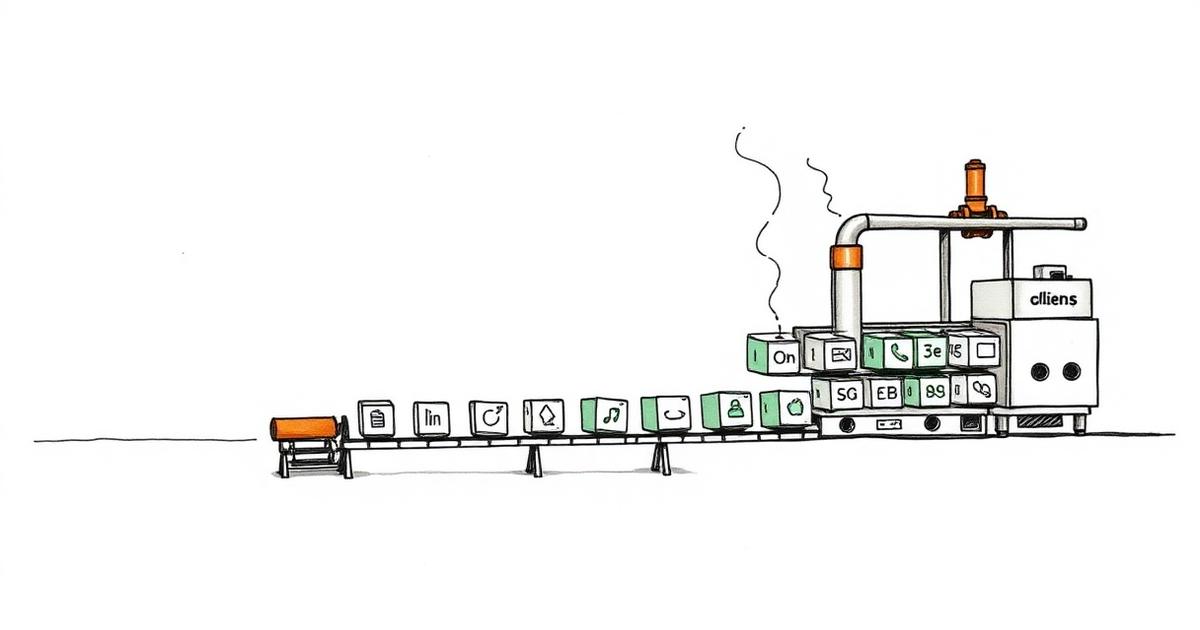
If you let a small team build internal analytics apps on demand, you end up with a graveyard of snowflakes. Not the data warehouse kind. The "every app is unique and nobody remembers how it works" kind. I hit that wall, and the fix that actually stuck was an app factory: one command scaffolds a new app from a template, and every app comes out with the same auth model, the same health endpoint, the same look, and the same path to production.
This post is about how that factory works and why each piece is there. If you run internal data apps on a cloud data warehouse's container platform (I'll keep it generic, but think Snowpark Container Services, Dash, Gunicorn), most of this will transfer.
The problem: every app is a snowflake
Over about a year we accumulated maybe a dozen internal apps. Dashboards, a couple of data-entry tools, some scheduled report jobs. Each one was built by whoever needed it that week, which meant:
- Auth was different in every app. One read the logged-in user's identity token. One ran everything as the service account. One had a hardcoded warehouse. When a token-expiry bug showed up, I had to go find and fix it in five different shapes.
- Health checks were inconsistent. The container platform pings a health endpoint to decide if your service is alive. Some apps had
/health. Some had/healthz. One had nothing and the platform kept marking it unhealthy and restarting it in a loop. - Layout and branding drifted. Same company, five different navbars, three different blues, inconsistent table styles. Users noticed. It made the whole suite feel like a science fair.
- Deploys were folklore. "How do I ship this one?" was answered differently per app. Some pushed straight to production. Some had a dev environment, some didn't.
The real cost wasn't any single inconsistency. It was that no one person could maintain the set. Every app was a small archaeology project. Onboarding someone new meant walking them through each app individually, because there was no "how our apps work" — there were only "how this app works" times twelve.
The solution: a factory, not a framework
I didn't want to write a framework. Frameworks rot, and everyone hates the one internal framework that a person who left three years ago wrote. What I wanted was a factory: a CI workflow plus a small set of templates that stamps out a new app already wired to our conventions, and then gets out of the way.
The distinction matters. A framework is a dependency you live inside forever. A factory generates a normal, standalone app you own. After scaffolding, the generated code is just an app — you can read it, edit it, delete the parts you don't need. The factory's job is only to make the first version correct and identical to every other app's first version.
The trigger is one command. In practice it's a CI workflow you run with a handful of inputs:
# conceptual — run the factory workflow with your inputs
run-factory create-dashboard \
  --project-name inventory-trends \
  --title "Inventory Trends" \
  --archetype dashboard \
  --database ANALYTICS_DB \
  --schema REPORTING
That kicks off a workflow that: creates the repo, copies the chosen template, substitutes the names, wires the auth helper, drops in the health endpoint, applies branding, writes the deploy spec, and opens the repo on a dev branch ready to build. Two minutes, not two days, and the result looks exactly like the last one.
Templates: pick an archetype, don't start blank
Starting from an empty directory is where inconsistency is born. So the factory offers a few archetypes, and you pick one:
- Dashboard — read-only charts and tables over warehouse data. The most common one.
- Data-entry — forms that read and write back to the warehouse. This one needs write grants, which is a whole separate can of worms (more below).
- Scheduled job — no UI at all. Runs on a schedule, produces a file or an email, exits. It still gets health/logging conventions, just no web layer.
- API — a small service other apps call, no human UI.
Each archetype is a real, minimal, working app. Not a hello-world — it connects to the warehouse, renders (or runs), passes its health check, and deploys. You start from something that already works end to end and delete your way to what you need. That's a much better starting point than a blank file and a memory of how the last one was wired.
Here's roughly what a generated dashboard looks like:
inventory-trends/
├── app/
│   ├── __init__.py
│   ├── main.py                # exposes `server` for the WSGI server
│   ├── layout.py              # branded shell: navbar, colors, fonts
│   ├── callbacks.py
│   ├── data/
│   │   └── loaders.py         # every query goes through the shared session
│   ├── session.py             # THE auth helper — identical across apps
│   └── health.py              # /health -> "ok", 200
├── deploy/
│   └── service.yaml           # container spec (auth mode lives here)
├── tests/
│   └── test_health.py
├── Dockerfile
├── requirements.txt
└── README.md
The important part isn't the tree. It's that this tree is the same tree in every app. When I open a colleague's app I already know where the queries live, where auth is configured, and how it deploys. That's the whole payoff, and it shows up on day one.
The auth pattern that actually matters
This is the piece I'd most want someone to steal, because it's the one that bites hardest if you get it wrong. On a container platform sitting in front of a cloud data warehouse, you have two fundamentally different ways to run queries:
Caller's rights. Queries run as the logged-in end user. The platform passes each request a short-lived token identifying who's actually using the app, and your data layer opens a session as that person. Row-level security, per-user grants, and audit logs all just work, because the warehouse sees the real human, not a robot. This is what you want for anything user-facing where "who can see what" matters.
Service-owner rights. Queries run as the service account that owns the deployment. Every user sees the same data because every query runs as the same identity. This is right for a scheduled job with no human in the loop, or a data-entry app that needs to write to tables the individual users can't write to directly.
The factory bakes the choice into the archetype. Dashboards default to caller's rights. Scheduled jobs and most data-entry tools default to service-owner. In the container spec it comes down to a single flag on whether the service executes as the caller, plus making the UI endpoint public-facing so the platform actually forwards the per-request user token:
# deploy/service.yaml (trimmed, generic)
spec:
  containers:
    - name: app
      image: /repo/app:latest
  endpoints:
    - name: ui
      port: 8000
      public: true            # required so the caller token is forwarded
# top-level, sibling of spec: — not nested inside it
capabilities:
  securityContext:
    executeAsCaller: true      # caller's rights; drop this for owner rights
Two gotchas cost me real time here, so I'll name them.
First: placement of that executeAsCaller flag matters. It's a top-level key, a sibling of spec:, not something nested under spec, endpoints, or containers. Put it in the wrong place and the deploy fails with an "unknown option" error that reads like the platform doesn't support the feature at all. It does. You just put it in the wrong spot.
Second, and this is the subtle one: caller's-rights OAuth sessions don't activate every kind of grant. I had tables that worked perfectly when I queried them locally over my own SSO login, then threw "object does not exist" once the same code ran in the container under a caller session. The reason: the token-based session didn't pick up grants that were routed through a certain kind of role membership. It only saw grants made directly to the account role. The fix was to stop relying on the indirect grant and grant SELECT directly on the objects the app needs (and, for objects that get recreated, grant on future ones too). Once I learned that, it became a checklist item: if a query works locally but 404s the table in the deployed app, suspect the grant path before you suspect the code.
Because all of this lives in one shared session.py that the factory copies verbatim, I fixed the class of bug once and every future app inherited the fix.
Health endpoints and exposing the server
Two small conventions that aren't optional.
The container platform decides whether your service is alive by hitting a health endpoint. If it doesn't get a fast 200, it assumes the service is broken and restarts it — sometimes in a loop that never lets the app finish starting. So every archetype ships a /health route that returns "ok", 200 and, critically, does no work. No database call, no auth, no per-user token. Just prove the process is up. I learned to keep the health check dumb the hard way, after a health route that opened a warehouse connection turned a slow-warehouse morning into a restart storm.
The other one is WSGI-specific but universal in this stack: the production web server (Gunicorn, in our case) needs a module-level server object to bind to. For a Dash app that's one line — expose server = app.server at import time. Forget it and the container builds fine, starts fine locally under the dev server, and then refuses to serve a single request in production. The factory templates always include it, so nobody has to remember.
Branch protection and dev-then-prod discipline
The last piece is deploy discipline, and it's boring on purpose. Every generated repo comes with the same rule: main is branch-protected and requires a review. You never push to it directly.
The flow is always the same. You work on dev, push dev, and a dev push auto-deploys a _dev copy of the service. You bang on it there. When it's good, you open a pull request from dev to main, someone reviews it, and merging to main is what ships to production. Same steps for every app, so "how do I deploy this" stopped being a per-app question.
Before anything reaches main, I run it through a production-readiness gate — a scored review across security, reliability, data integrity, and cost — and it has to clear a bar before I'll open the PR. Because the apps are structurally identical, the gate can make the same checks every time: is the health check dumb, is auth the right mode for the archetype, are grants direct, is server exposed, are there hardcoded secrets. Consistency is what makes an automated gate possible at all.
The payoff
The factory paid for itself the first time a token-expiry bug showed up and I fixed it in one shared helper instead of hunting through a dozen bespoke apps. That's the real return: when every app is built the same way, a bug is a class of bug, and you fix the class in one place. New apps inherit the fix for free.
The other wins showed up quietly. Onboarding went from a per-app tour to "here's how our apps are laid out, they're all like this." Users stopped noticing which app they were in because the shell was identical. And "I need a small tool for X" became a two-minute scaffold instead of a two-day yak-shave, which means people actually ask for the tool instead of maintaining a spreadsheet forever.
What I'd do differently
I'd build the factory earlier, before the third snowflake, not after the tenth. The templates only encode the conventions you've already figured out, so I spent the first year discovering the conventions the expensive way and then retrofitting the survivors. If I were starting again, I'd stand up even a crude factory after the second app — one template, one health check, one auth helper — and grow it. The value isn't in getting the templates perfect on day one. It's in never again writing app number three from a blank directory.
I ship AI-built software into production and write about the gates, patterns, and cost discipline that make it work. More about me →
Practitioner notes on the gates, the patterns, and the cost discipline behind AI-built software.
Related reading
AI writes plausible-but-wrong code at high speed. These automated gates — scoring, smoke tests, visual review, a pre-push hook — stop it from shipping.
AI can write a whole app in an afternoon. The hard part is making sure the app is correct, safe, and maintainable. Here's the gated pipeline I use to get there on the first build instead of the fifteenth.